( Click here. for BASIC steps.)
STEP 1.
Press CTRL + S keys on your keyboard.

or
1. Click the Icon with three dots.
2. Select MORE TOOLS.
3. And SAVE PAGE AS.

STEP 2.
4. Type in the name of your recipe.
5. Please make sure you change file type to WEB PAGE COMPLETE just below the recipe name.
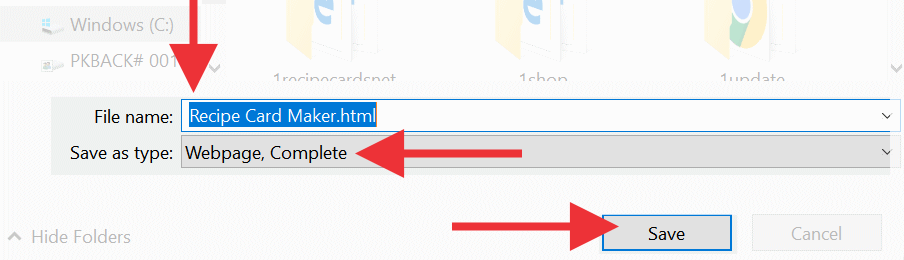
Choosing the "Web Page, complete" is the most important step.
This means your recipe will be saved with all the pictures and text. And as a result you will be able to open your recipes even if you're not online.
STEP 3. Click the Save button.
OPENING YOUR SAVED RECIPES

Your recipes have now been saved!
OPENING YOUR SAVED RECIPES
MORE DETAILED SEARCH:
If you cannot find your recipes, click the Windows Start button and type in the name of your recipe, or just part of the name.
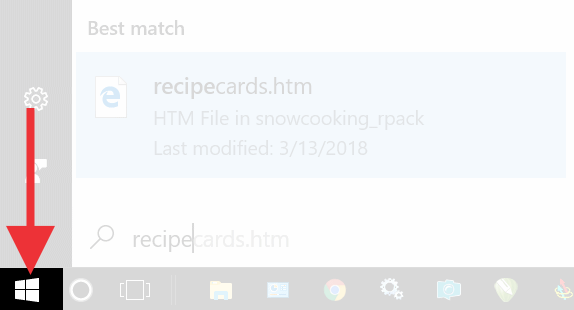
Click Start and start typing, your search results will appear.